Artificial Intelligence is rapidly transforming how businesses operate, and Microsoft is leading this shift with Copilot across the Microsoft Cloud. One of the most exciting implementations is Copilot in Dynamics 365 Business Central, where AI becomes a practical assistant for everyday ERP tasks.
In this article, I answer some of the most common questions people ask about Copilot in Business Central, including how it works, security considerations, availability, and how developers can extend it.
What is Copilot in Business Central?
Copilot in Dynamics 365 Business Central is an AI-powered assistant designed to improve productivity, simplify workflows, and reduce manual effort within the ERP system.
Instead of spending time on repetitive tasks, users can leverage AI to:
- Generate content
- Analyze data
- Get insights quickly
- Automate routine operations
- Work more efficiently across business processes
Copilot helps employees focus on higher-value work by removing friction from daily operations. It represents one of the first examples of AI embedded directly into a business management platform used by small and medium-sized organizations.
What capabilities does Copilot provide?
Microsoft continues to expand Copilot features within Business Central. These capabilities are designed to support different roles across the organization.
Some examples include:
- AI-assisted data analysis
- Chat with Copilot to find records
- AI-generated product descriptions
- Automated insights and forecasting
- Process assistance across finance, purchasing, and operations
Because Copilot features are continuously evolving, Microsoft regularly introduces new capabilities with each release wave.
How does Copilot handle security, privacy, and compliance?
Security and privacy are major considerations when introducing AI into enterprise systems.
Copilot in Business Central follows Microsoft’s enterprise-grade security model, which includes:
- Permission inheritance – Copilot can only access the data that the user already has permission to see.
- Data privacy protections – Microsoft does not read customer prompts or use business data to train models without explicit permission.
- Regional compliance – For organizations within the EU Data Boundary, data remains within that region.
These safeguards ensure organizations can adopt AI while maintaining strong governance and compliance standards.
How does Microsoft ensure responsible AI usage?
Copilot is built according to Microsoft’s Responsible AI principles, which include:
- Fairness
- Reliability and safety
- Privacy and security
- Inclusiveness
- Transparency
- Accountability
These principles guide how AI features are designed, deployed, and monitored to ensure they are trustworthy and beneficial for users.
Is Copilot included with Business Central licensing?
Yes. Copilot capabilities are included with Business Central licenses at no additional cost.
However, Microsoft may introduce fair-use policies, quotas, or future pricing models as adoption grows.
Is Copilot available globally?
Copilot capabilities are gradually being rolled out across regions and languages.
Currently:
- Many features initially support English
- Additional languages and regions are being added over time
- Each Copilot capability may have its own regional availability
Organizations should review Microsoft’s documentation for the latest supported regions and languages.
Is Copilot available for on-premises Business Central?
No.
Copilot is only available for Business Central Online (the SaaS version). It is not supported for:
- On-premises deployments
- Private cloud environments
This is because Copilot relies on Microsoft Cloud AI services.
Does Copilot work with customizations and extensions?
Yes, but with some limitations.
Certain Copilot capabilities can interact with custom elements, such as:
- Custom pages
- Custom tables
- Installed apps and extensions
For example:
- Analysis Assist can work with custom list pages.
- Chat with Copilot can retrieve records from custom tables.
However, the overall experience may vary depending on how extensions and apps are designed.
Does Copilot need to be trained on company data?
No additional training is required.
Copilot relies on powerful AI foundation models combined with Business Central’s data platform. This means organizations can start using Copilot immediately without expensive or time-consuming model training.
The system simply works within the context of the data users already have access to.
Can Copilot search the web?
Yes. Starting with newer updates, some Copilot features can search public web sources to improve responses.
This helps:
- Provide more relevant answers
- Bring in the latest public information
- Reduce the need for users to switch between applications
Administrators can configure and control this capability depending on organizational policies.
Can developers build custom Copilot experiences?
Absolutely.
Developers can extend Copilot capabilities using the Business Central development platform.
Options include:
- Building AI extensions using AL developer tools
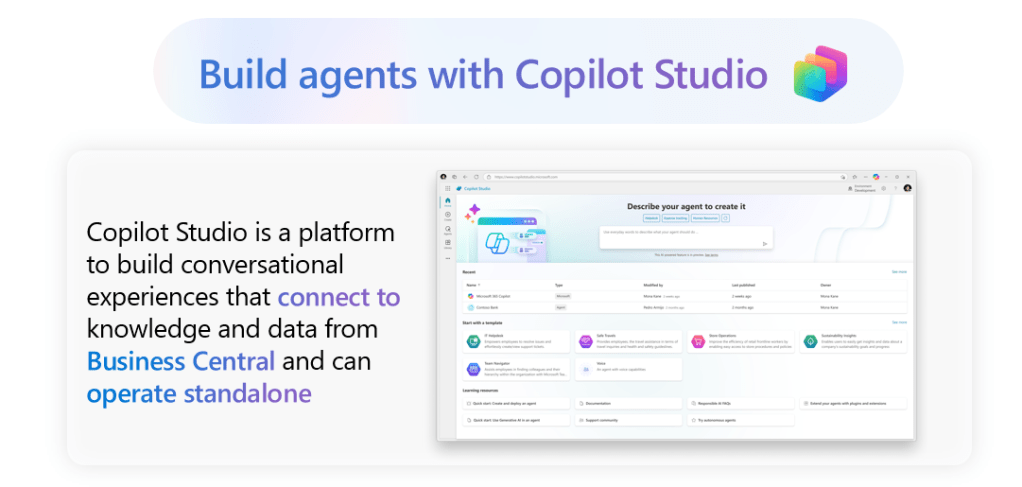
- Integrating with Copilot Studio
- Creating stand-alone AI services that connect to Business Central APIs
- Developing custom AI-powered applications that interact with ERP data
This opens significant opportunities for partners and ISVs to create industry-specific AI experiences.
How does Copilot in Business Central differ from Microsoft 365 Copilot?
Microsoft provides multiple Copilots designed for different workloads.
Microsoft 365 Copilot
- Works across productivity tools such as Word, Excel, Outlook, and Teams.
Business Central Copilot
- Designed specifically for ERP workflows inside Business Central.
Currently, these systems operate independently.
However, Microsoft is introducing solutions such as Microsoft 365 Copilot for Finance, which can connect Microsoft 365 productivity tools with ERP data from systems like Business Central.
Does Copilot require a minimum number of users?
No.
Organizations can begin using Copilot regardless of the number of Business Central users they have.
What about Azure AI quotas in Business Central licensing?
Business Central licenses include 30 minutes of Azure AI usage per tenant.
However, this quota applies to machine learning features such as forecasting, not Copilot capabilities.
Copilot operates separately and does not consume this Azure AI quota.
Is Copilot available for Embedded (ISV) applications?
Currently, Copilot is not available for Business Central Embed applications due to technical limitations.
However, independent software vendors can still:
- Extend Copilot functionality
- Build their own AI-powered features
- Integrate generative AI into their applications
Final Thoughts
Copilot in Dynamics 365 Business Central represents a major step toward AI-driven ERP systems. Instead of treating AI as an external tool, Microsoft is embedding intelligence directly into everyday workflows.
For organizations using Business Central, this means:
- Faster decision making
- Reduced manual work
- Smarter insights
- A more intuitive user experience
As Microsoft continues to expand Copilot capabilities, we can expect AI to play an increasingly important role in how businesses manage finance, operations, and customer relationships.
If you’re working with Dynamics 365 Business Central, now is the perfect time to start exploring how Copilot can transform your daily processes and unlock new productivity gains.
 Dynamics Decoded
Leave a comment